
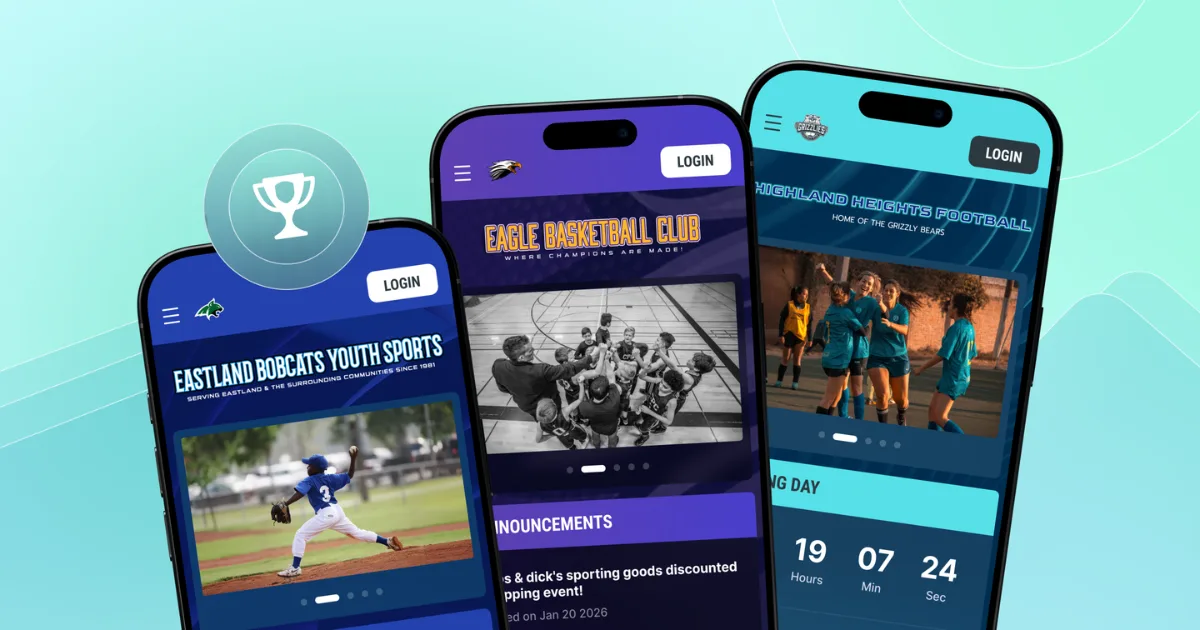
A parent stands in the checkout line at the grocery store, phone in hand, trying to finish tryout registration before the deadline. The payment screen freezes. The date picker won't open. She gives up and texts the coach instead.
That stalled screen is frustrating for parents, and could cost the league a sign-up.
Optimizing a sports website for mobile means making sure schedules, registration forms, and payment pages load fast and work smoothly on a phone screen, since that's how most parents, coaches, and players now reach a league's site.
Mobile optimization presents a decision: Fix the site already in place, or switch to one built for phones from the start. The self-assessment checklist ahead shows where a mobile site tends to fall apart. From there, you can choose whether to fix those problems by hand or use a platform that keeps mobile working on its own.
Mobile is now the default view
Mobile is the default sports website experience because families check schedules and start registration from the phone already in their hand, not because desktop use has disappeared. The parent sitting in the carpool line needs Saturday's game time in the next 10 seconds. The coach on the sideline is pulling up next week's practice location before parents start asking. The mom registering her daughter for the fall season is doing it while waiting for practice to end, phone in one hand and snack bag in the other.
These aren't research sessions, but short, specific tasks squeezed into a few free minutes between everything else on the day's schedule.
On a laptop at home, someone settled in might click around, forgive a slow page, or work through a clunky menu. Phones don't get that patience. The real test is whether checking a schedule or finishing registration works when someone's in a hurry.
How AI search treats mobile sites
Pages that load slowly or render poorly on a phone may be harder for parents to find through traditional or AI-generated search results. The difference between showing up when someone searches "youth soccer registration near me" and appearing farther down in the results can come down partly to how your site performs on a phone.
This is connected to mobile-first indexing. Search engines primarily evaluate your site's phone version, not its desktop version, when deciding how to rank it.
Google's own page experience documentation confirms this connection. Core Web Vitals (CWV), a set of loading and rendering measurements, are used by Google's core ranking systems, and one of the self-assessment questions tied to a good page experience is whether content displays well on mobile devices. For a league site, clean phone rendering can affect how easily families find your schedules and registration pages.
Want more guidance on making sure your site has the visibility you need? Check out our guide on getting your sports organization's website to the top of Google results.
Is your site actually mobile-ready?
To optimize your sports website for mobile, start by testing whether families can finish the tasks they came to do on a phone, not just whether the homepage looks nice. Parents open your site to check a game time, register a child, or pay a fee before dinner.
Go through this four-part checklist on your own phone to help identify areas where families may drop out of the registration process:
- Navigation: Can you reach schedules, registration, and contact information in one tap?
- Load speed: Does the page show something useful within a few seconds?
- Registration and payment: Can a family complete the full form and submit payment without switching to a desktop?
- Schedule readability: Can you read game times and locations without pinching or zooming?
One-tap navigation menus on phones
A mobile-ready menu lets a parent reach schedules, registration, and contact information in one tap, without hunting through nested dropdowns or tapping a menu icon that never opens.
Pull up your league's site on your phone without zooming in first. Try to find the schedule. Try to start a registration. Try to find a phone number or email address for questions. If any of those tasks take more than one tap or force you to pinch and zoom to see the menu, parents standing in a parking lot before practice may be running into the same problem.
The size of buttons and links matters just as much as menu structure. WCAG 2.2 accessibility guidelines recommend making tappable links and buttons at least 24 x 24 CSS pixels. Anything smaller can make them harder to tap accurately, especially for a parent navigating one-handed.
Page load speed under three seconds
A parent checking a schedule on a phone should see something useful within a few seconds, or they may leave before they find what they need.
Consider two schedule pages. One shows game times and locations the moment it opens. The other sits on a blank screen while oversized team photos slowly load. Even a five- or six-second wait feels long to a parent squeezing in a schedule check between errands.
Google's Core Web Vitals documentation recommends that a page's main content loads within 2.5 seconds for a good user experience. Test against that number on a phone, not a rough guess. If your league's site can't hit that mark, families feel it every time they check a schedule.
Two-minute registration and payment completion
A parent should be able to fill out a registration form and submit payment from a phone in about two minutes without stalling along the way.
Time it yourself. Pull out your phone, open your registration page, and start a timer the moment you tap the sign-up button. Stop it only when payment goes through. Test every form field, date picker, and dropdown. If labels are difficult to read or fields are hard to select accurately, the form isn’t fully optimized for mobile use.
Note any point where the page tells you to finish on a computer. That could mean a dropped registration.
Schedules that display without pinching or zooming
A mobile-ready schedule keeps dates, times, and locations stacked in one readable column that fits a phone screen, with no pinching, zooming, or sideways scrolling required.
Pull up your schedule page on your phone and look for a game three weeks out. Can you read the date, time, and field location without adjusting the screen? A shrunk desktop schedule crams a wide table into a tiny space. A responsive schedule reflows that same information into a single stacked column sized for a phone from the start.
Why registration forms decide mobile success
Completing registration and payment is the mobile interaction that decides whether a family actually signs up. A parent scrolling your website on a lunch break is deciding, right then, whether to enroll their kid or move on.
A phone-friendly form makes that decision easy. Date fields should open a built-in calendar picker instead of asking parents to type a birthdate manually. Dropdown menus for divisions or jersey sizes need to be large enough to tap without zooming in. Autofill should populate name, address, and card details automatically, and payment fields should sit in one column so no one has to scroll sideways to find the submit button.
Desktop-first forms can become difficult to complete on a phone, increasing the chance that a parent leaves before submitting registration and payment.
Payment transparency matters just as much as layout. Parents should see the full amount, including any processing fee, before they submit payment.
Jersey Watch vs. IT-heavy platforms
The difference between Jersey Watch and enterprise-style platforms comes down to setup time and technical support. A long feature list matters less than how easily volunteers can get the system running. A mobile-ready website and registration form don't require a bigger checklist. They require a system a volunteer can actually launch without calling in a developer.
Criteria | Jersey Watch | IT-heavy platforms |
Setup time | Website and registration live within one business day | Multi-week onboarding typical for setup and integration |
Technical expertise needed | No coding skills needed, built for volunteers | Often requires IT staff or developer support |
Getting started | Self-service sign-up, no sales demo required | Sales demo or consultation typically required first |
Pricing structure | $19 for the first month, then $348 per year | Pricing usually requires a sales conversation |
Ongoing support | Dedicated Customer Care team included with every subscription | Support typically routed through internal IT resources |
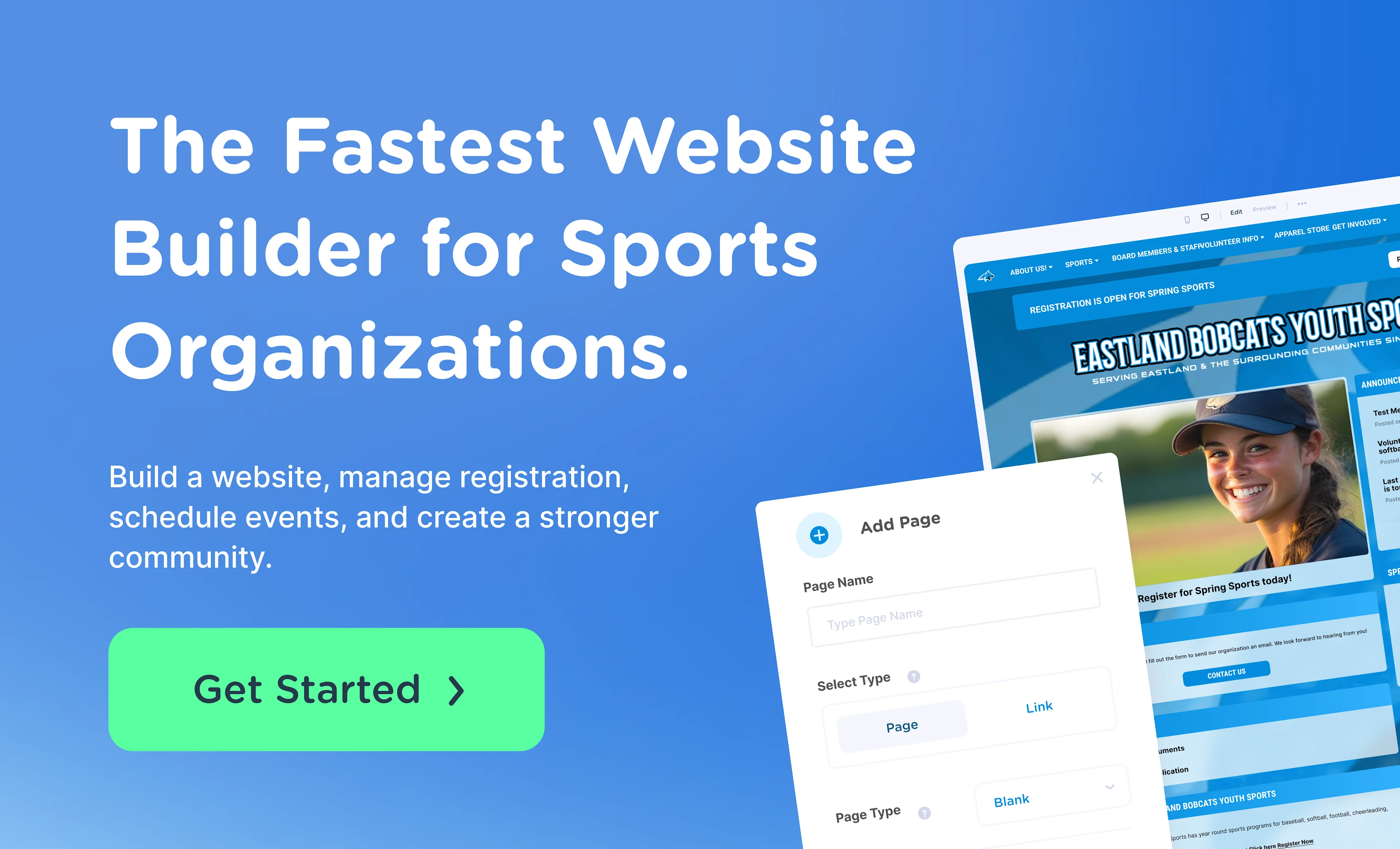
Jersey Watch is a self-service platform. An organization can create a free account, make its first payment, and have a website and registration live the same day, with no sales demo required. That speed helps when a registration deadline is already on the calendar and there's no time to wait for a sales call.
Setup is only half the job. Once a season is underway, questions come up fast, from why a payment failed to how to fix a schedule typo, and volunteers need answers. The dedicated Customer Care team handles migration, onboarding, and the everyday questions that come with running a season.
Mobile optimization Jersey Watch handles automatically
Every website built with Jersey Watch is automatically responsive on phones and tablets, so mobile optimization isn't another task on a commissioner's to-do list.
The website builder handles the layout work behind the scenes. Menus, schedules, and registration forms resize to fit the screen they're viewed on, and pages load quickly on mobile without a volunteer touching any code or installing a plugin.
Branding carries through that process, too. A league's logo, team colors, and page layout remain consistent whether a parent opens the site on a laptop or a phone in the school pickup line.
Plus, Jersey Watch now allows parents to pay for registration using Apple Pay and Google Pay so making payments from a phone has never been easier. For leagues weighing a broader rebuild, this guide to sports website design covers what makes a sports website work well beyond the mobile basics.
Make mobile optimization Jersey Watch's job
If you’re rebuilding a mobile menu every season or watching parents abandon registration forms on their phones, you aren’t dealing with a string of small bugs. Your site may not have been built for mobile, and patching individual problems won't fix that for good.
Jersey Watch keeps registration, payments, schedules, and design working across phones, tablets, and desktops automatically. If your current site needs a rebuild instead of another fix, explore these sports website templates to see what a mobile-ready layout can look like.
Ready to trade phone-related headaches for a site that works across devices? Build your mobile-ready site with Jersey Watch today.
FAQs
What's the difference between a responsive website and a dedicated mobile app for a youth sports league?
A responsive website automatically adjusts its layout and navigation to fit any screen, so it works on phones, tablets, and desktops without a separate build. A mobile app requires families to download and update software just to check a schedule, which adds an extra step most volunteer-run leagues don't need. For most recreational programs, a responsive website covers registration, schedules, and payments without asking parents to install anything extra.
Is a custom-built, mobile-optimized website more expensive than using a website builder?
A custom-built site typically requires paying a developer for design, coding, and ongoing maintenance every time a schedule format or registration need changes. A website builder made for sports organizations, like Jersey Watch, bundles responsive design, registration, and payments into one subscription. For volunteer-run programs with limited budgets, that bundled approach often keeps mobile optimization affordable without sacrificing a professional look.
What happens if my sports website fails a mobile-friendliness check in search results?
A site that renders poorly on phones can lose visibility in search results, since search engines mainly evaluate a site's mobile version when determining rankings. In practice, that means a family searching for tryout registration might scroll past a league's page or miss it entirely if the mobile experience is slow or broken.
Can QR codes help parents access a mobile-optimized registration page at the field?
A QR code on a banner, flyer, or check-in table gives parents a one-tap link to a mobile registration page. This works well at tryouts, tournaments, or sign-up tables, where families are standing with a phone already in hand. For the shortcut to help, the destination page still needs to load fast and let registration finish in a couple of minutes.
Does mobile optimization only matter for touch targets, or does it affect accessibility more broadly?
Touch target sizing is one piece of mobile accessibility, but readability, color contrast, and older-device performance matter just as much. Many parents access league sites on hand-me-down or budget phones, and a flashy site can still shut some families out. Building around recognized accessibility standards, like current touch-target guidelines, helps a mobile-optimized site work for more families, not just those with the newest hardware.

Nick RattermannCo-Founder / CTO
Nick Rattermann is the Chief Technology Officer at Jersey Watch with more than 10 years of experience building software for volunteer-run youth sports organizations. He writes about youth sports technology and league management, drawing on both his technical expertise and his experience as the parent of a son who plays soccer and basketball.


